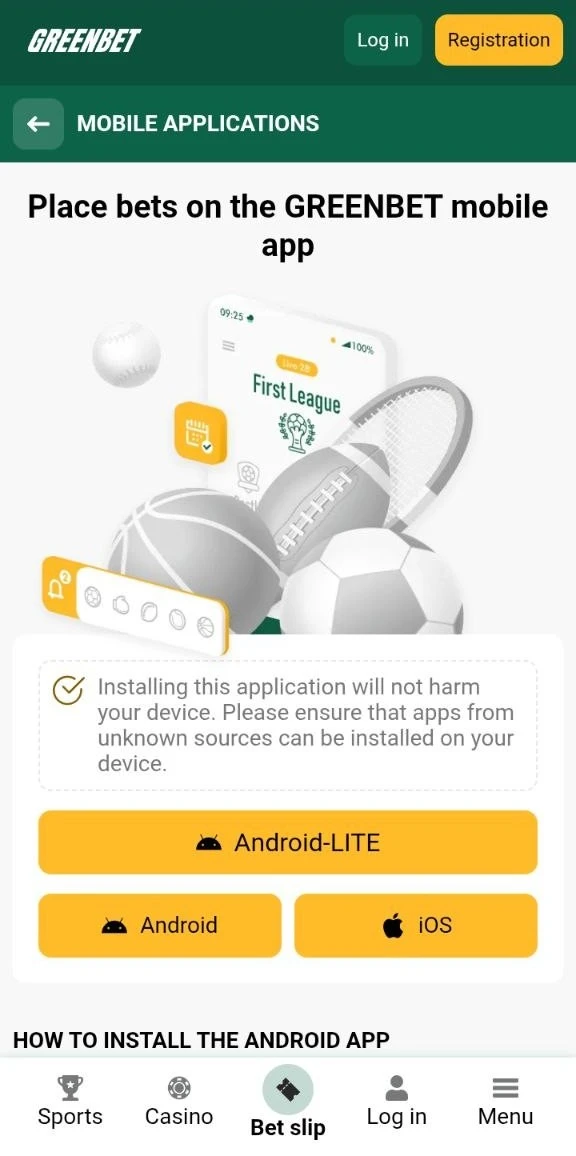
Android Installation
On Android, the Greenbet app installs from an APK file. You download it from the official website, allow installation from unknown sources and confirm the install.
An APK is an installation file for Android apps. Apps from Google Play also use this format. The store installs them automatically. With Greenbet, you complete these steps yourself.
| Step | Where | What you do |
|---|---|---|
| 1 | Greenbet website | Press Download |
| 2 | Android Settings | Open "Install unknown apps" |
| 3 | Android Settings | Allow installation for your browser |
| 4 | Downloads | Select the APK file |
| 5 | Installation window | Tap Install |
Installation File Download
The Greenbet APK is available only on the official website. Open greenbet.gg in the browser on your Android phone and press Download.
- Open the browser on your phone.
- Type greenbet.gg in the address bar.
- Find the mobile app page on the site.
- Press Download.
- Wait until the file appears in your Downloads folder.
The browser may show a warning about the file type. Android shows this warning for every APK outside Google Play. The warning does not mean the file is harmful. Check the address bar before you confirm. The address must be greenbet.gg.
Unknown Sources Permission Setup
Android blocks APK files from outside Google Play by default. You need to allow installation from unknown sources for the browser that downloaded the file.
- Open Settings on your phone.
- Find the "Install unknown apps" section.
- Select the browser you used for the download.
- Turn on "Allow from this source".
The location of this setting differs between phone brands. On some phones it is in Security. On others it is in Apps or Special app access. Use the search bar in Settings and type "unknown apps" if you cannot find it.
The permission applies only to the selected browser. Other apps on your phone still cannot install files.
Application Installation Confirmation
After the permission is set, open the APK file and tap Install. Android shows the progress bar and then a confirmation screen.
- Open Downloads or the notification about the finished download.
- Tap the Greenbet APK file.
- Tap Install in the system window.
- Wait for the "App installed" message.
- Tap Open or find the Greenbet icon on your home screen.
After installation, you can turn off the unknown sources permission for the browser. The installed app keeps working. This step closes the door for other files from the same browser.
iOS Installation
On iPhone and iPad, Greenbet works as a progressive web app. You add the website to your home screen through Safari. The App Store is not involved.
A progressive web app (PWA) is a website that you save to the home screen. It opens from its own icon, like a regular app. It does not need a separate download.
| Feature | Greenbet on iOS |
|---|---|
| App format | Progressive web app |
| Browser for setup | Safari |
| App Store download | No |
| Size on the phone | Only a home screen shortcut and site data |
| Updates | Automatic, together with the website |
Website Loading Requirement
Before you add Greenbet to the home screen, the website must load completely. Greenbet lists this as the first step of the iOS setup.
If you press Share too early, iOS may save an incomplete page. The icon can then open a blank screen or show a generic image instead of the Greenbet logo.
- Open Safari on your iPhone or iPad.
- Type greenbet.gg in the address bar.
- Wait until the page stops loading and the menu appears.
- Check that the Greenbet logo shows at the top of the page.
Add to Home Screen Procedure
The Add to Home Screen option is in the Safari Share menu. Three taps are enough.
- Press the Share button at the bottom of the Safari screen. The icon looks like a square with an arrow pointing up.
- Scroll down the menu and select "Add to Home Screen".
- Press Add in the upper right corner.
iOS shows a small preview window before the last tap. It shows the icon and the name of the shortcut. You can change the name in this window. Keep "Greenbet" so you can find the icon later.
Home Screen Icon Confirmation
After you press Add, the Greenbet icon appears on your home screen. This is the confirmation that the web app is installed.
Tap the icon to open Greenbet. The site opens in its own window. The Safari address bar does not appear. This is the main visual difference between the web app and a normal Safari tab.
If the icon does not appear, check the last page of your home screen. iOS places new icons in the first free spot. On newer iOS versions, the icon can also go to the App Library.
Application Features
The Greenbet app has three core features: live scores and odds updates, quick access to bet history and a large selection of live events. Registration, login and deposits work the same way as on the website.
The review team checked the Greenbet website, which the iOS web app uses. The table compares the access options.
| Feature | Android app | iOS web app | Mobile browser |
|---|---|---|---|
| Live scores and odds | Yes | Yes | Yes |
| Bet history | Yes | Yes | Yes |
| Live events | Yes | Yes | Yes |
| Own home screen icon | Yes | Yes | No |
| Download needed | APK file | No | No |
Swipe to see more columns
Live Scores and Odds Updates
The Greenbet app updates scores and odds in real time. You do not need to refresh the page.
On the website, the review team saw how the changes look. A falling odd turns red and shows a small arrow pointing down. A rising odd turns green with an arrow pointing up. For example, one tennis market moved to 1.91 in red. Another moved to 1.89 in green.
Some odds show a small lock icon. A lock means the market is closed for the moment. This happens during key moments of a match, for example at set point in tennis. The market opens again after the moment passes.
Bet History Access
The app gives quick access to your bet history. You see open and settled bets in one place.
On the website, the right panel has two tabs: Bet slip and My bets. The My bets tab shows your current bets. The full history is in the account menu under Bet history. Next to it is Transaction history, with all deposits and withdrawals.
| Section | What it shows |
|---|---|
| My bets | Current bets from the bet slip |
| Bet history | All placed bets and their results |
| Transaction history | Deposits and withdrawals |
| Payment queries | Questions about payments |
Live Event Selection
Greenbet offers live bets 24 hours a day. Most sports have more than 30 markets per event, for example corners, yellow cards and free kicks.
During the review, the Live section showed 936 events at the same time. Football had 74 events, Tennis 36, Table Tennis 39, Cricket 26 and Esports 27. The list on the left side groups events by sport. A number in brackets shows how many matches are running in each sport.
- Open the Live section.
- Select a sport from the list.
- Tap an event to see all markets.
- Tap an odd to add it to the bet slip.
The sportsbook covers more than 1,000 events every day. It includes football, tennis, basketball, ice hockey, volleyball, cricket, esports and many other sports.
Application Security
Greenbet app security depends on three things: the download source, the account login and the session settings on your device. The first one is the most important on Android.
| Risk | Protection |
|---|---|
| Fake APK from another site | Download only from greenbet.gg |
| Open installation permission | Turn off "unknown apps" after the install |
| Stolen password | Unique password and a verified phone number |
| Shared device | Untick "Remember me" and log out |
Download Source Verification
Download the Greenbet APK only from the official website. Greenbet states this directly: the app is available only on its site.
Copies of casino apps on other websites can contain modified code. Such code can steal passwords or payment data. Before you press Download, check three things:
- The address bar shows greenbet.gg.
- The browser shows a lock icon next to the address.
- You opened the site yourself, not from a link in an unknown message.
On iOS this risk is lower. The web app opens the Greenbet website directly. Check the address in Safari before you add it to the home screen.
Account Login Protection
The Greenbet app uses the same login methods as the website. These are email or ID, phone number, SMS code and Telegram, Google or X.
A verified phone number adds protection. Login by code works only with a verified number. A stranger with your phone number cannot request a code to another phone. The account menu also has a separate Security section.
- Use a password that you do not use on other sites.
- Confirm your phone number by SMS in your profile.
- Check the Security section after the first login.
- Write to [email protected] if you see activity you did not make.
Session Management
A session is the period while you stay logged in on a device. In the Greenbet app, the "Remember me" checkbox controls whether the session continues after you close the app.
The "Remember me" checkbox was ticked by default in the login form. This is convenient on your own phone. You open the app and go straight to your account.
On a shared or borrowed device, change this setting:
- Untick "Remember me" before you log in.
- Log out of the account when you finish.
- Do not save the password in the browser of a shared phone.
Greenbet also limits one bonus account to one shared computer or IP address. A shared device can therefore cause problems with bonuses. Use your own phone for your Greenbet account.
Frequently Asked Questions
Below are short answers to common questions about the Greenbet app.
How Do I Download the Greenbet App?
Open greenbet.gg on your phone and press Download. The app is available only on the official website.
How Do I Install the Greenbet App on Android?
Download the APK, allow installation from unknown sources in Settings and tap Install. Then open the app from the home screen.
How Do I Install the Greenbet App on iOS?
Open greenbet.gg in Safari and wait until it loads. Press Share, select "Add to Home Screen" and press Add.
Is the Greenbet App Available on Google Play?
No. Greenbet distributes the Android app only through its website.
What Features Does the Greenbet App Offer?
The app shows live scores and odds, gives quick access to bet history and lists a large number of live events. It also supports registration, login and deposits.
How Do I Update the Greenbet App?
The iOS web app updates automatically with the website. On Android, download the latest APK from greenbet.gg.
Is the Greenbet App Safe to Use?
The app is safe if you download it from greenbet.gg. Do not install Greenbet APK files from other websites.
Can I Use the Greenbet App Without Downloading?
Yes. You can use the mobile website in any browser. On iOS, the web app also needs no download.